
When adding a team member to your Feature Upvote account, you can choose a role of ‘restricted moderator’.
Is this you?
- Your Feature Upvote board gets more suggestions and comments than you can easily handle.
- You want to invite some top community members to help with the moderation workload.
- You can’t because of privacy concerns.
Then the ‘restricted moderator’ role is tailor-made for you.
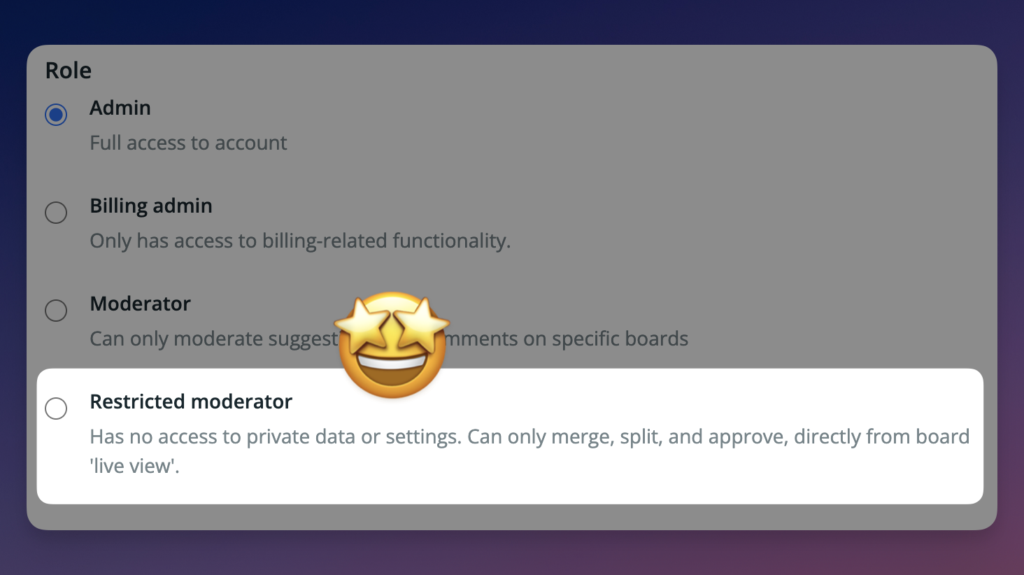
You can give the ‘restricted moderator’ role to non-employees, such as volunteer moderators, who should not see any private user data.
Restricted moderators:
- have no access to private data (such as email or IP address) or settings.
- can’t view the moderation queue on the dashboard
- can see unapproved suggestions and comment on your board’s ‘live view’
- can merge, split, and approve, directly from your board’s ‘live view’
- can tag and untag suggestions
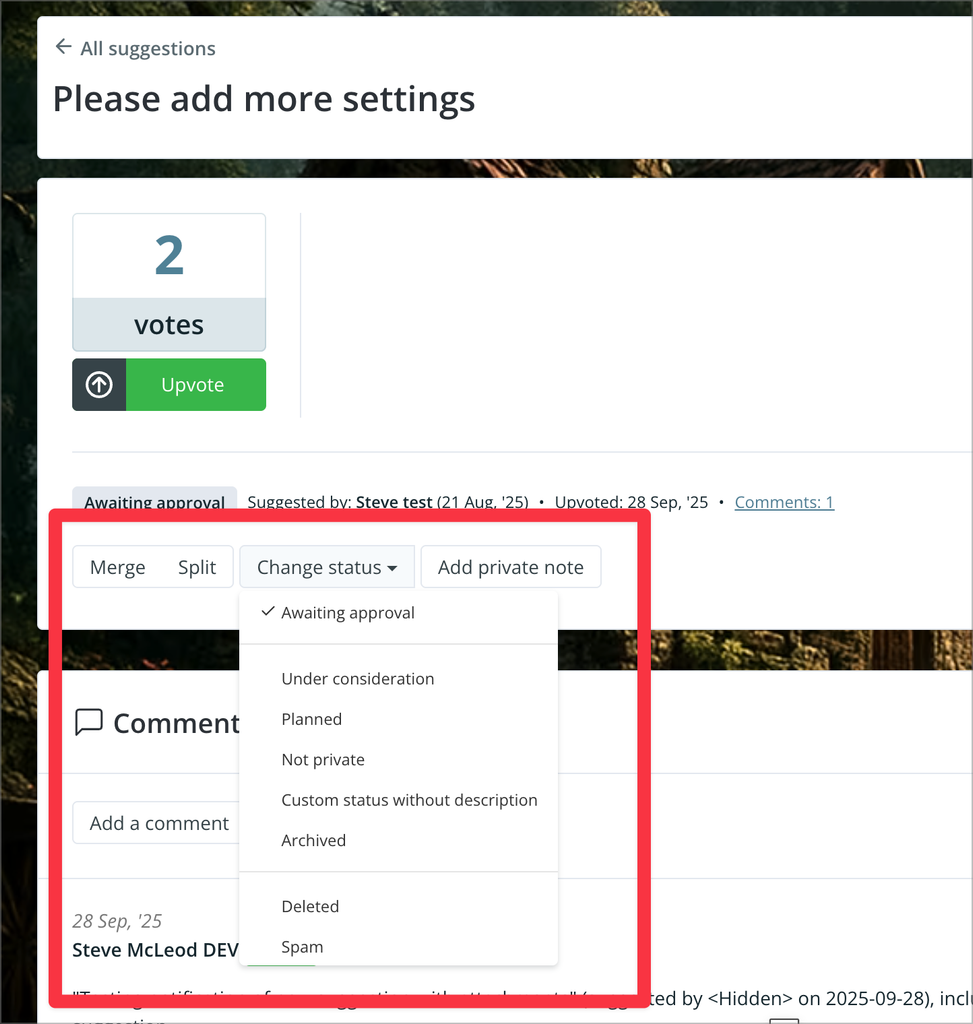
Restricted moderators must do their moderation work directly from your feedback board’s public view. To make this possible they’ll see some extra buttons and options.
For example, restricted moderators have a ‘Change status’ button when viewing a suggestion.
You can add as many restricted moderators to your account as you wish – your Feature Upvote account includes unlimited additional team members.
We actually introduced this role a few months ago, but without announcing it. Then, with the help of one of our friendly customers, we refined the role, fixed some problems, and added a few more permissions.
For our customers with a flood of feedback coming in every week, we hope this will be a game changer for you.
Read more about adding team members and assigning them roles in our help docs.