
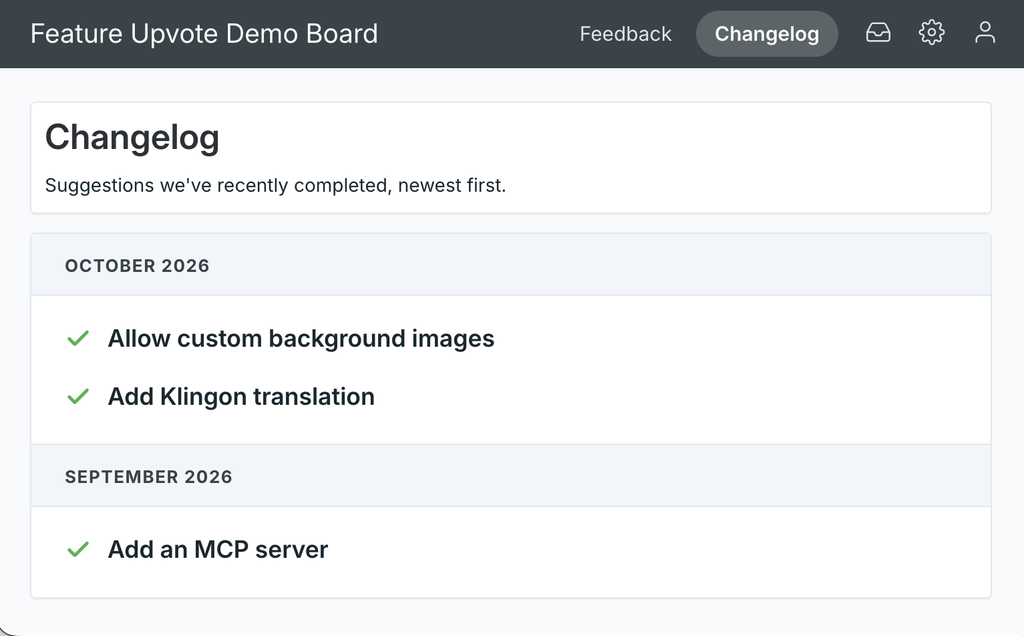
Every Feature Upvote feedback board now has a changelog page that shows your customers what you’ve shipped.
It’s part of every pricing plan. So if you use Feature Upvote, no matter what plan you are on – even on the free trial – the changelog feature is available.
When you mark a suggestion as done, it appears on your changelog.
(It’s on for new boards. If your board existed before today, it’s off until you switch it on. More on that below.)
Why a changelog?
Your customers suggest things. They vote. Then you build it.
And then… nobody notices.
A changelog closes the loop. It’s one page where anyone can see what you’ve done with all that feedback. It’s proof that voting on your board actually leads somewhere.
What’s on it?
- Every public suggestion with a ‘done’ status, including your own custom ‘done’ statuses.
- Newest first, grouped by the month each one was completed.
- Each item links back to its suggestion, so people can read the original request, the comments and the votes.
- Month names and labels appear in your board’s language.
What’s not on it?
Suggestions with a private status never appear on the changelog. Not even for moderators. So you can’t leak anything by accident.
If your board requires people to sign in, so does its changelog.
Where is it?
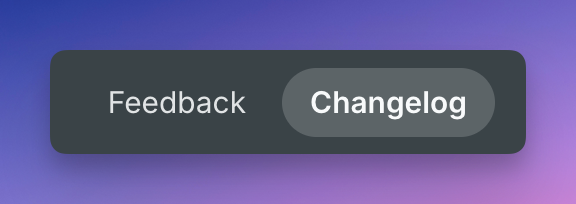
At your board’s URL followed by /changelog. For example, https://demoboard.featureupvote.com/changelog. When the changelog is on, your board’s header gets “Feedback” and “Changelog” links, so visitors can find it without you doing anything.
It’s an ordinary web page, so you can link to it from your website, your release emails or your in-app “What’s new” menu.
How do I turn it on?
New boards have the changelog switched on already.
For existing boards, you’ll need to turn it on. To do that:
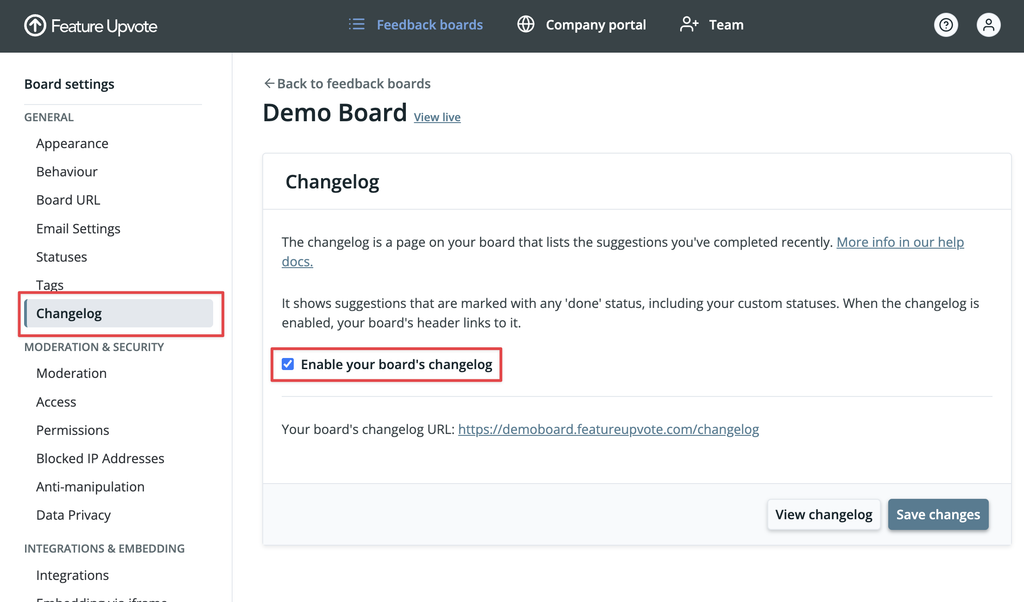
- Go to your dashboard and choose Settings for your board.
- Under General, choose Changelog.
- Tick Enable your board’s changelog and save.
The same page shows your changelog’s URL, ready to copy. You can switch it off again at any time.
For the details, see the help article on your board’s changelog.
Questions you might have
Does Feature Upvote have a changelog feature?
Yes. Since October 2026, every Feature Upvote feedback board has a built-in public changelog at /changelog.
To avoid confusion: Here’s our own manually created changelog, with all significant changes we made since launching in 2017. This predates our changelog feature.
Do I have to write release notes?
No. The changelog builds itself from your suggestions. Mark a suggestion with a ‘done’ status and it appears there.
Can I use my own statuses?
Yes. Any status that counts as ‘done’ shows up, including custom statuses you’ve created.
Will private suggestions show up?
No. Only suggestions with a public status appear.
Can I turn it off?
Yes. Untick Enable your board’s changelog in your board’s settings. The header links disappear, and the changelog URL shows a short “not enabled” message instead.
If you think the new changelog feature is missing something, let us know on our own feedback board.